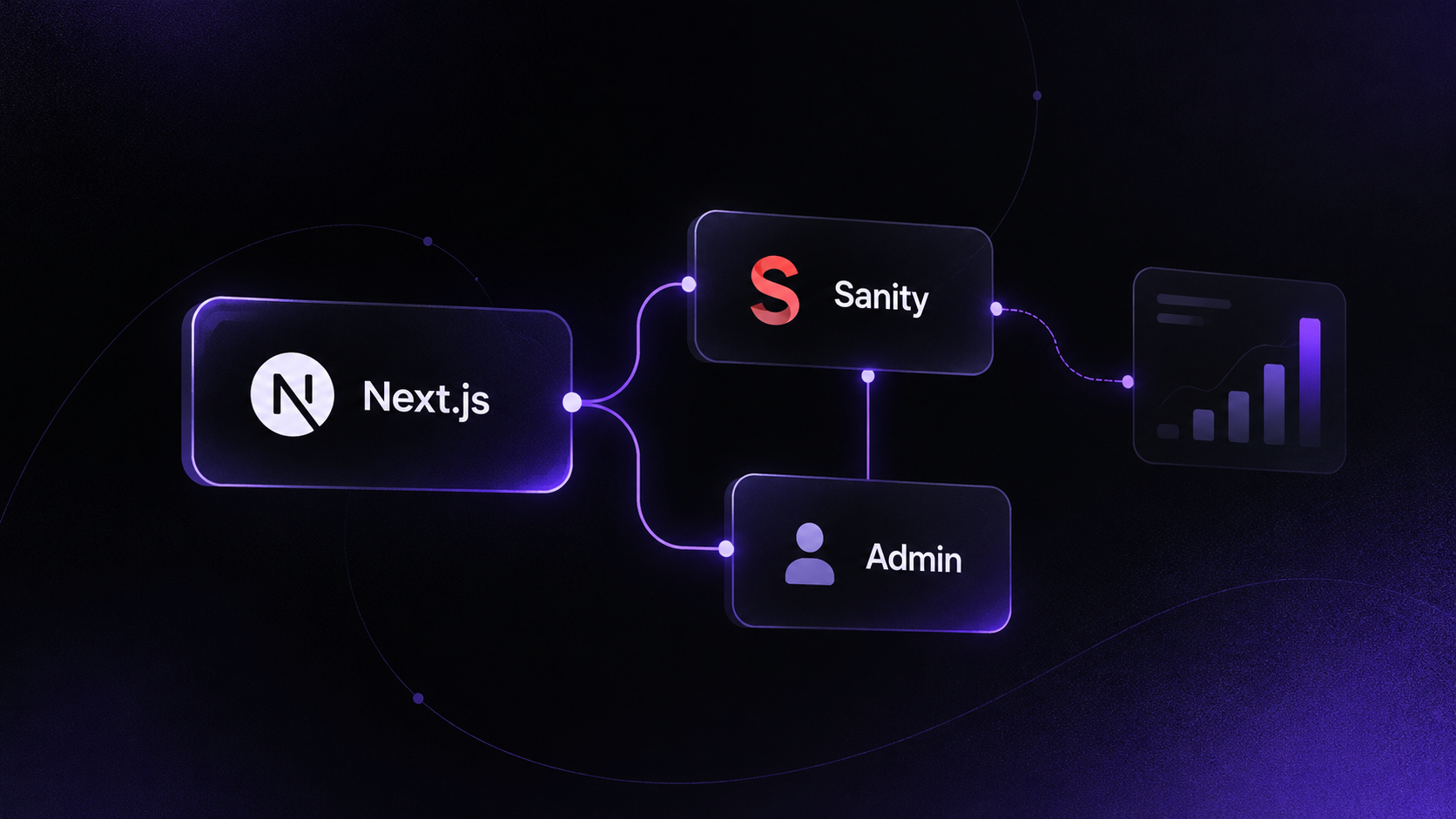
My portfolio has two parts: the public site you're reading and a private admin app where I write posts like this one. Both run on Next.js 16. Sanity stores the content, Vercel hosts them, and PostHog counts the visitors.
This post covers how the pieces fit, the decisions behind them, and the small problems that took longer than they should have. If you're building a portfolio or a small content site, you can copy most of it.
The stack at a glance
| Layer | What I use | Why |
|---|---|---|
| Framework | Next.js 16 (App Router), React 19 | Server components, ISR, one deploy per app |
| Styling | Tailwind CSS 4 | Design tokens in CSS, fast iteration |
| Content | Sanity (free plan) | Hosted content API and image CDN, no database to run |
| Admin | My own Next.js app | A form that fits my content exactly |
| Blog rendering | react-markdown + remark-gfm | Posts are plain Markdown strings |
| Analytics | PostHog, behind a proxy | Product-grade analytics that ad blockers don't drop |
| Hosting | Vercel | Zero-config Next.js, preview deploys |
Why two apps instead of one
The public site and the admin are separate deployments. The portfolio has no login, no write token and no admin code. If someone finds a bug in the public site, there's nothing there to write to Sanity with.
The admin is a small Next.js app with one password. A server action checks the session, validates the form and writes to Sanity with a token that never leaves the server. Every post you see here started as that form: title, slug, cover image, excerpt, Markdown content, category, tags, SEO fields and a draft/published switch.
Why Sanity, but not Sanity Studio
Sanity gives me three things I didn't want to build: a hosted content API, an image CDN that resizes on request, and a schema I control. The free plan is enough for a portfolio.
Sanity Studio is a great editor, but for my content it was more than I needed. My own admin shows exactly the fields I use, in the order I fill them in, and enforces my limits: titles up to 120 characters, excerpts up to 300, SEO titles up to 70 and SEO descriptions up to 160. Those limits match what Google shows in search results, so the form stops me from writing a meta description that gets cut off.
Blog content is stored as one Markdown string, not as Portable Text. That keeps posts portable. If I ever leave Sanity, every post copies out as a .md file.
Keeping private data private on a public dataset
The free Sanity plan only offers public datasets, so anyone can read published documents with the project ID. My site also has a contact form and a review form, and those messages shouldn't be public.
The fix is a Sanity rule: documents whose _id contains a dot are never shown to anonymous readers. So contact messages and unapproved reviews are saved under IDs that start with private.. The admin's token can still read and edit them, but the public API can't see them.
Images: let the CDN do the work
next/image normally optimises images on Vercel, which costs build minutes and bandwidth. Sanity's CDN already resizes and converts images, so I wrote a custom loader:
export default function imageLoader({ src, width, quality }) {
  if (src.startsWith('https://cdn.sanity.io/')) {
    const url = new URL(src)
    url.searchParams.set('w', String(width))
    url.searchParams.set('q', String(quality ?? 85))
    url.searchParams.set('auto', 'format')
    url.searchParams.set('fit', 'max')
    return url.toString()
  }
  return `${src}?w=${width}`
}
Each image is compressed once, at exactly the width the browser asks for. auto=format serves AVIF or WebP when the browser supports it.
The admin also cleans up after itself. When I replace a cover image or delete a post, it checks whether any other document still uses that image, then permanently deletes the ones nothing references. The free plan has storage limits, so orphaned images add up.
Publishing without waiting: on-demand revalidation
The public pages are static and revalidate every 60 seconds. That's fine for visitors, but annoying when I publish a post and want to share the link right away.
Because the admin is a separate deployment, its revalidatePath() can't reach the portfolio's cache. So the portfolio exposes one endpoint, POST /api/revalidate, protected by a shared secret. After every save, the admin calls it with the post's own path. The portfolio then refreshes its home page, lists, sitemap, llms.txt and the post itself.
Two details made it reliable:
- Constant-time secret check. The endpoint compares the token with
timingSafeEqual, so response timing doesn't leak the secret. - Best effort, never blocking. If the call fails, the admin logs it and moves on. The 60-second revalidation still catches up.
Analytics that ad blockers don't drop
Many developers run ad blockers, and most of those block *.posthog.com. For a site whose audience is developers, that meant losing a large share of visits.
The fix is a reverse proxy using Next.js rewrites. The browser sends events to /ingest on my own domain, and Next forwards them to PostHog:
async rewrites() {
  return [
    { source: '/ingest/static/:path*', destination: 'https://us-assets.i.posthog.com/static/:path*' },
    { source: '/ingest/array/:path*', destination: 'https://us-assets.i.posthog.com/array/:path*' },
    { source: '/ingest/:path*', destination: 'https://us.i.posthog.com/:path*' },
  ]
},
skipTrailingSlashRedirect: true,
skipTrailingSlashRedirect matters. PostHog's API paths end with a slash, and without it Next.js redirects them and the events fail.
Built for search engines and AI assistants
Every content change also refreshes these files:
sitemap.xmlfor Googlellms.txtandllms-full.txt, plain-text summaries that AI assistants like ChatGPT, Claude and Perplexity can read
More people now find services by asking an AI assistant, so giving those tools a clean summary of my work costs almost nothing and may pay off.
What I'd do differently
- Start with the admin earlier. I spent the first weeks editing content in code. Every copy change needed a commit and a deploy.
- Decide on Markdown from day one. Switching content formats later means migrating every post.
- Set up the analytics proxy before launch. Every visit an ad blocker drops before then is gone for good.
Should you build your own admin?
If you're a developer and your content has a fixed shape (projects, posts, testimonials), a small custom admin on top of a headless CMS is a weekend of work and pays off every time you publish. If you want rich editing, collaboration or many content types, use Sanity Studio, Payload or a similar tool instead.
If you want a site like this for your business, get in touch.